Daily Outcomes Tracking System
DOTS
A free progress monitoring dashboard for daily point cards, in a Google Sheet your school owns. It shows which students need a look and whether each plan is working, from the cards your staff already fill in.
Template link coming soon.
Free. Opens in Google Sheets.
Open source, AGPL-3.0.
Scores stay in your copy of the sheet. Sightline never receives them.
How DOTS works
For check-in/check-out and other daily point card plans: print the cards, enter the scores, and see the progress.
See who needs a look
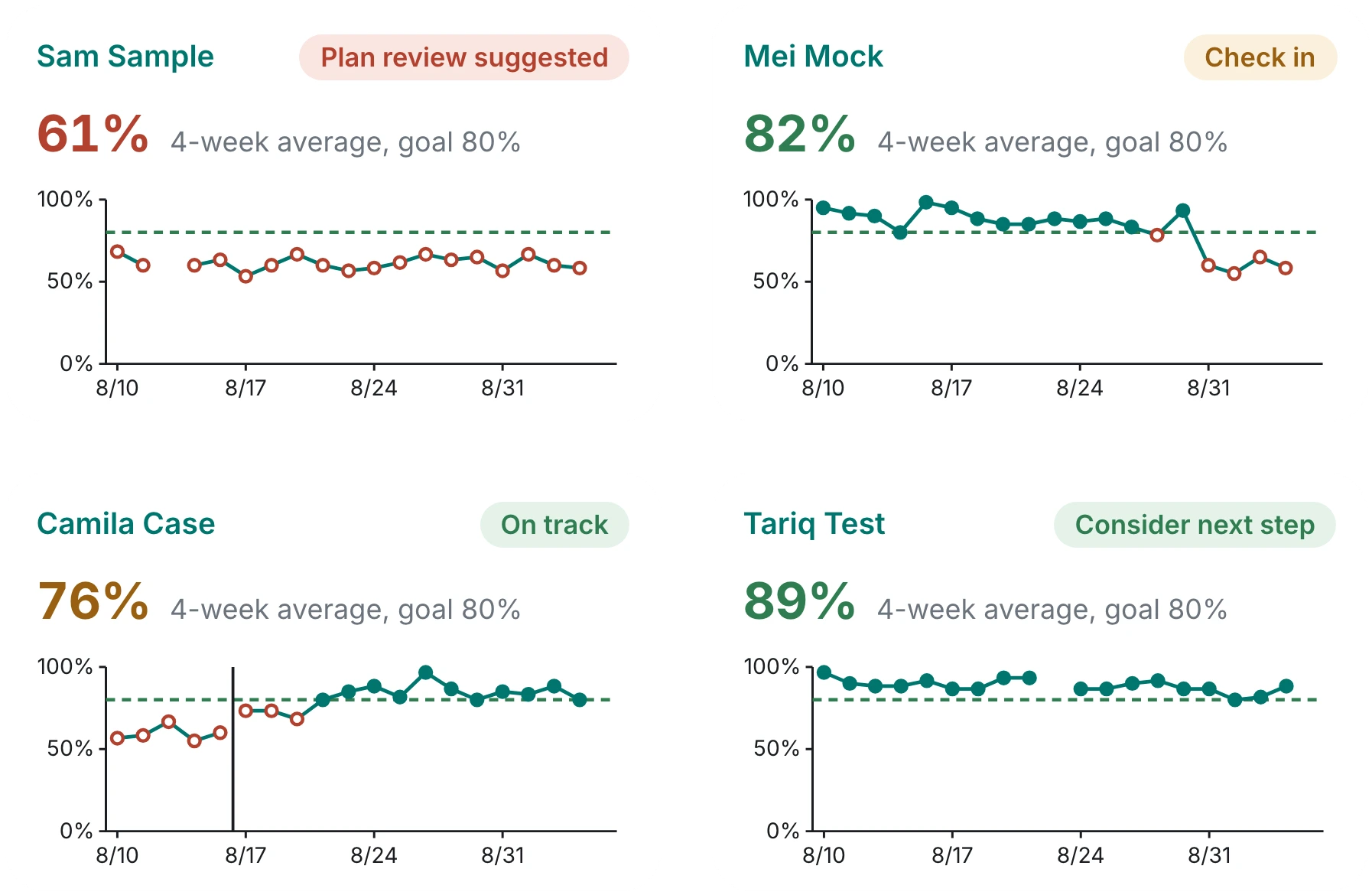
Caseload puts every student on one screen, each with a chart of the last four weeks against the goal. DOTS labels who is on track and who needs a check-in or a plan review.
See which part of the day is hard
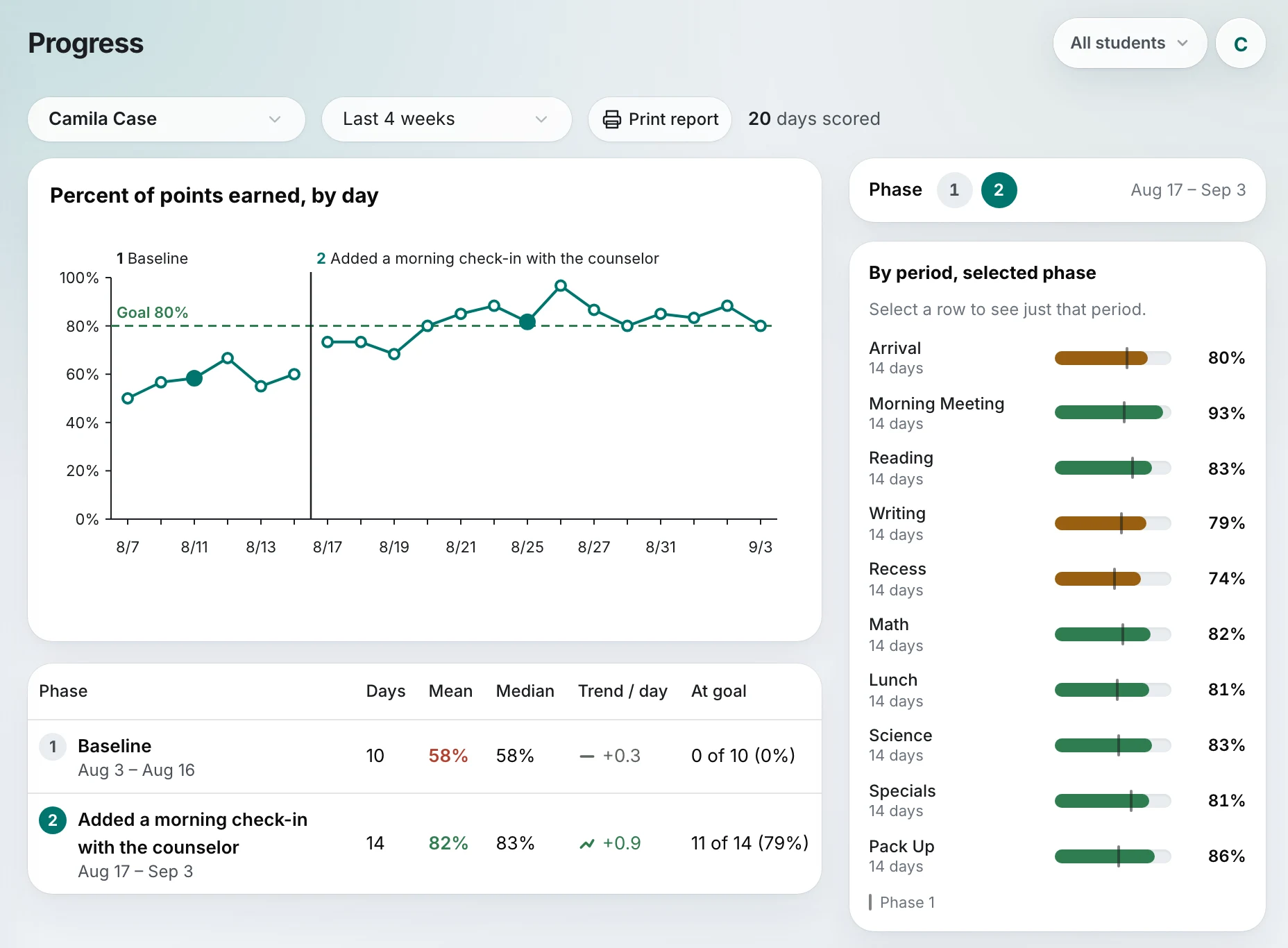
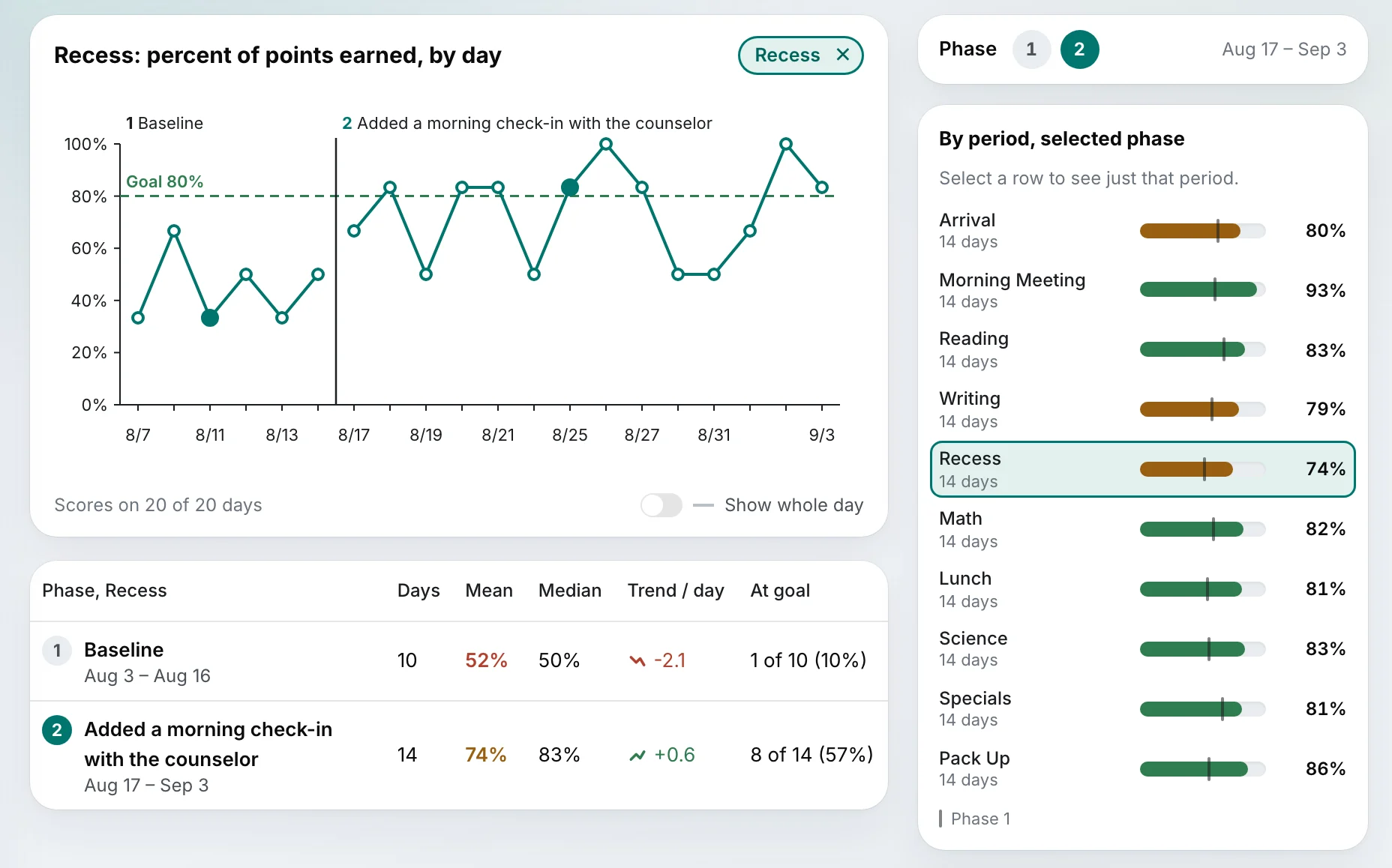
Progress charts each day’s percent against the goal and starts a new phase when the plan changes. Select a period to chart just that part of the day. Here Camila Case is at goal for the whole day, but Recess is still at 74%.
Enter the scores
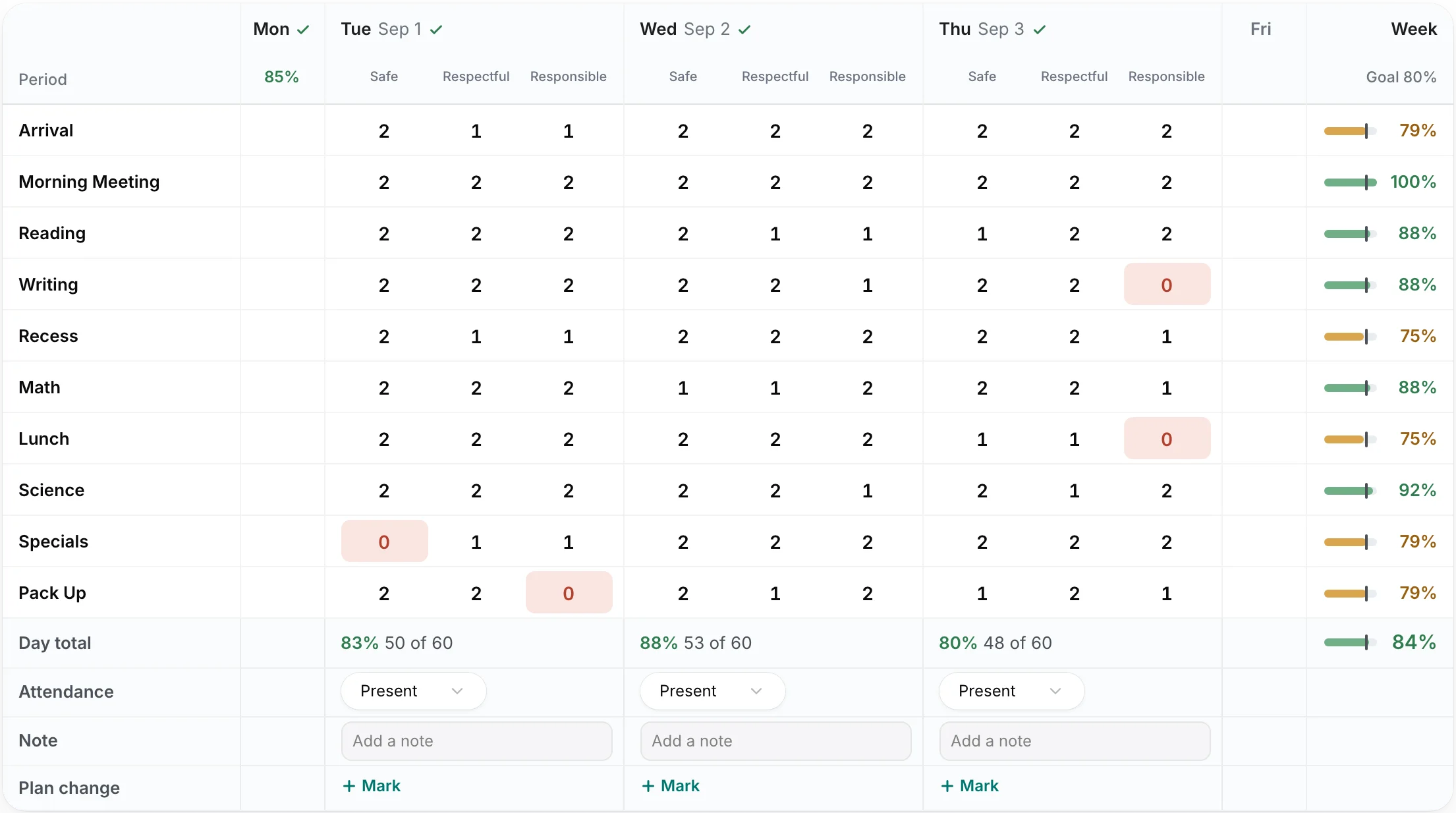
Entering a week of cards is faster than a spreadsheet. Type one key for each box, and DOTS adds up each day and each period against the goal.
- 012
- points earned
- A
- absent that period, left out of the day’s percent
Print each student’s card
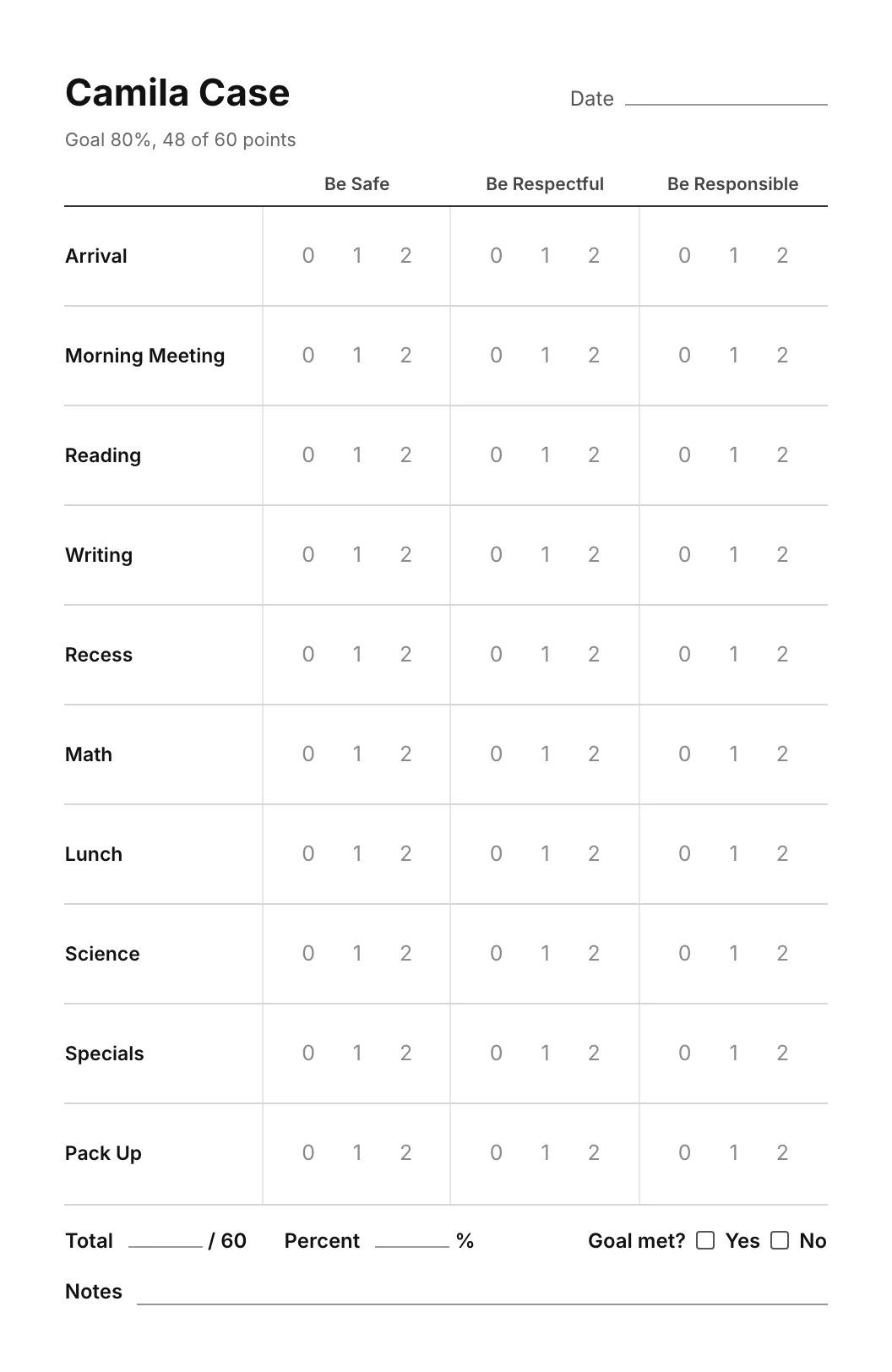
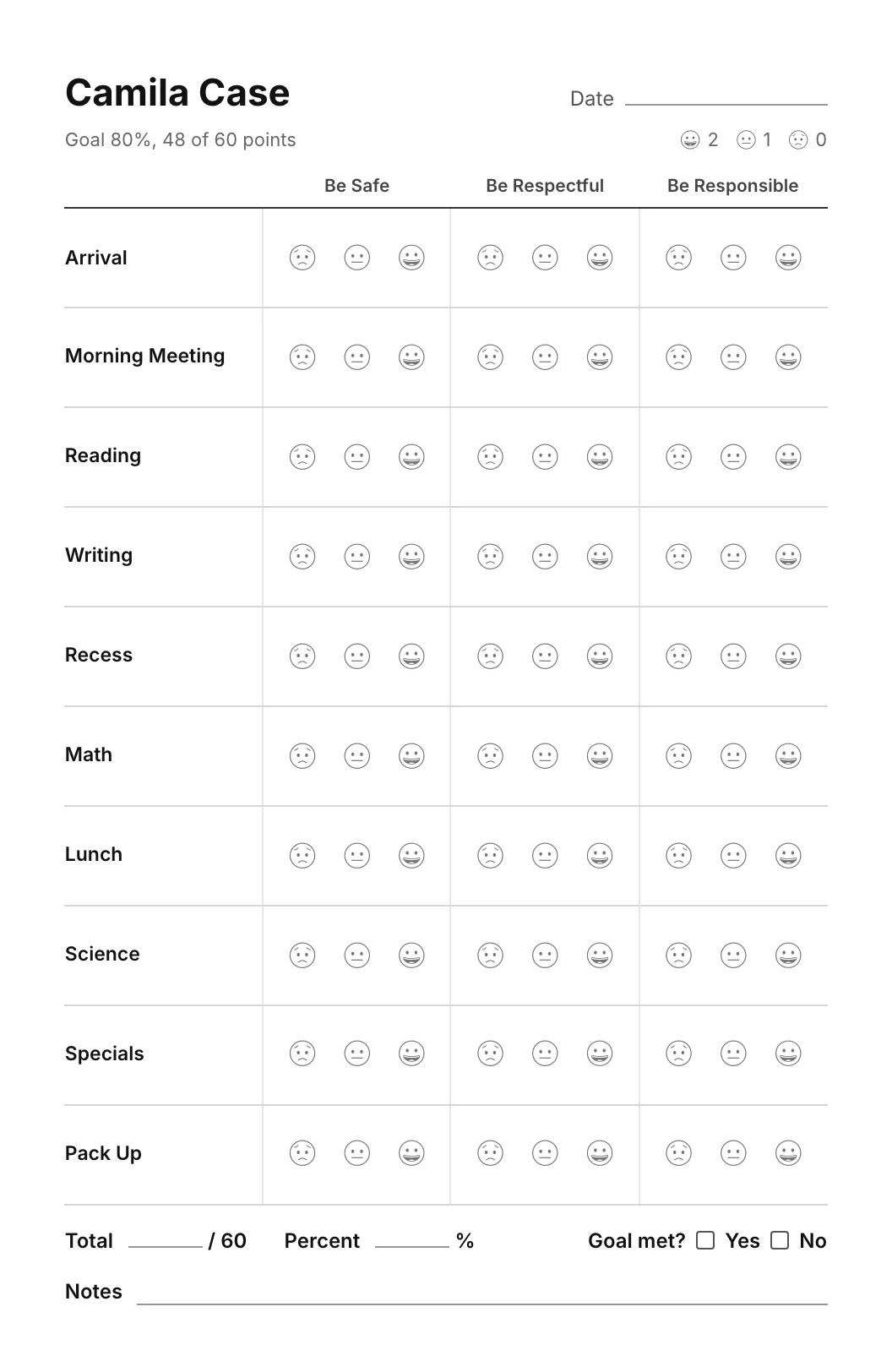
The card lists the student’s periods down the side and their expectations across the top, with the points to circle for each. Print a half sheet or a full page, with numbers or faces.
Where the data is kept
Your copy of DOTS runs inside your school’s Google account. DOTS has no server of its own, and Sightline never receives student names, scores or notes.
DOTS privacy policyYour school’s Google account
Your copy of the DOTS sheet
Students, scores, notes, attendance and plan changes are rows in its tabs.
Start HereStudentsStaffDataDaysConfig
The DOTS app
Opens from the sheet’s DOTS menu. It reads and writes this sheet.
Staff you share it with
Only people on the staff list in your sheet can open DOTS. Each person signs in with their own Google account, and your copy of DOTS checks the list before it opens.
Sightline (Ethoseen LLC)
Never receives student names, scores or notes.
Runs the DOTS updater, which the sheet’s owner opens to install a new version.
Questions
Is it free?
Yes, for any school or teacher. You don’t make an account with us, and there is nothing to install. The code is open source under the AGPL-3.0 license.
Who is it for?
School psychologists, behavior specialists, and teachers running check-in/check-out or another daily point card plan.
How do updates work?
When a new version comes out, the sheet’s owner can choose DOTS > Update DOTS. A Sightline page called the DOTS updater installs it and saves the old code, so the update can be undone. The updater does not read the scores in your sheet. Afterward, the owner runs DOTS > Run setup to finish. How the DOTS updater works.
Who makes DOTS?
DOTS was made by Chris Ives, the school psychologist behind Sightline and Ethoseen LLC. Questions go to [email protected]. The DOTS privacy policy covers the app and the updater.
A point card counts the day.
Sightline records direct observation, does the counting, and helps you write up what you saw.