Skip to content
Download for free

The complete system for behavioral observation.

Keep your attention on the student while Sightline brings the whole workflow into one place, from recording to the write-up. Student records stay on your machine.

Everything runs on the computer in front of you.

  • macOS & Windows
  • Companion for iPhone
  • On-device AI
  • Works offline

You shouldn't need a DIY toolkit for observation.

A timer, a tally grid, a spreadsheet, a draft in Word. Juggling them by hand takes more of your attention than the student does.

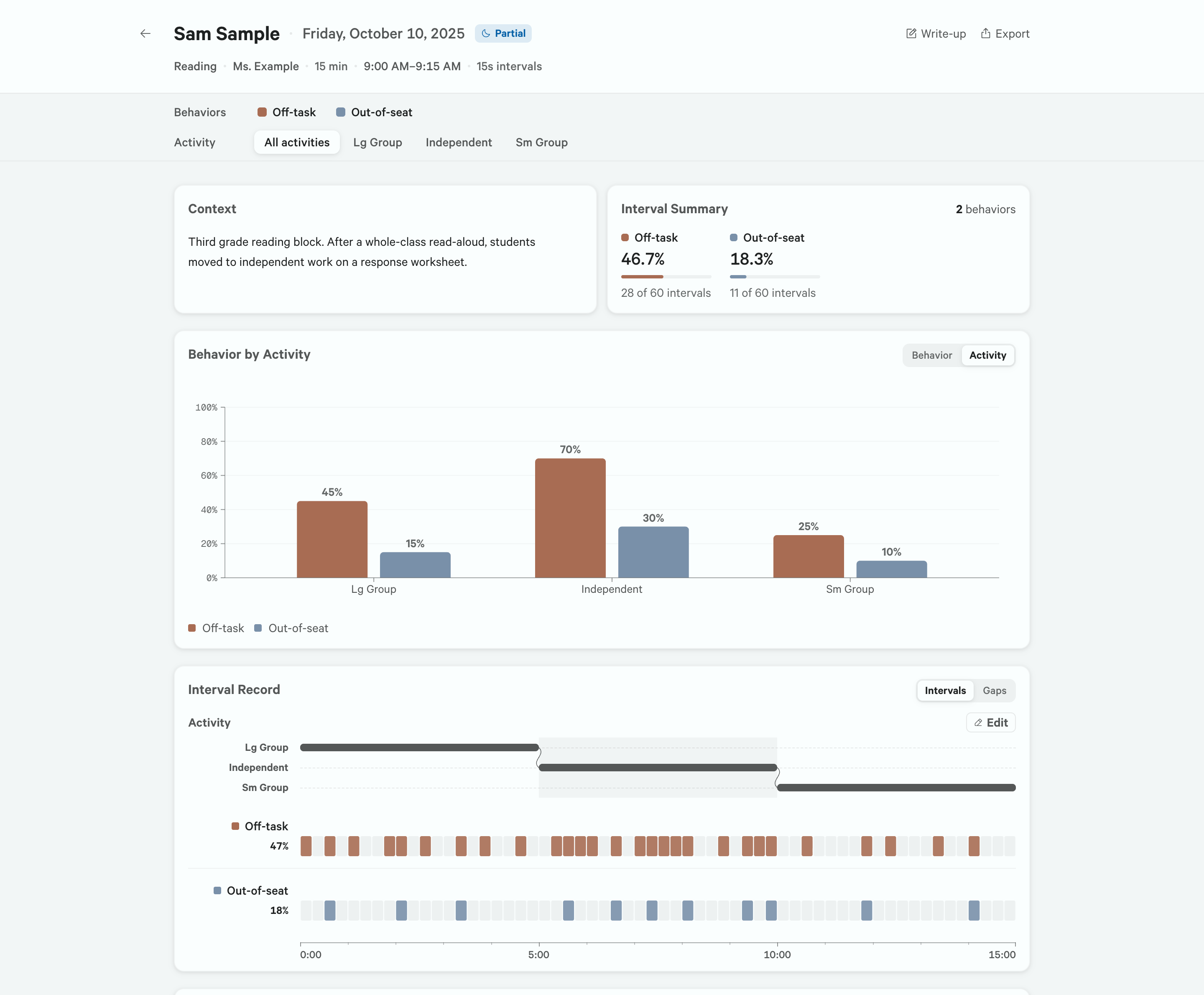
Sightline’s session results for one partial-interval observation: per-behavior magnitude percentages, an occurrence chart broken out by activity, and the full interval raster with its activity timeline.

Sightline.
One tool, start to finish.

Record, time, total, and draft in one place, nothing retyped between them. Your results are ready before you’ve left the room.

  1. Writer’s Workbench

    Write up from the record,
    not from memory.

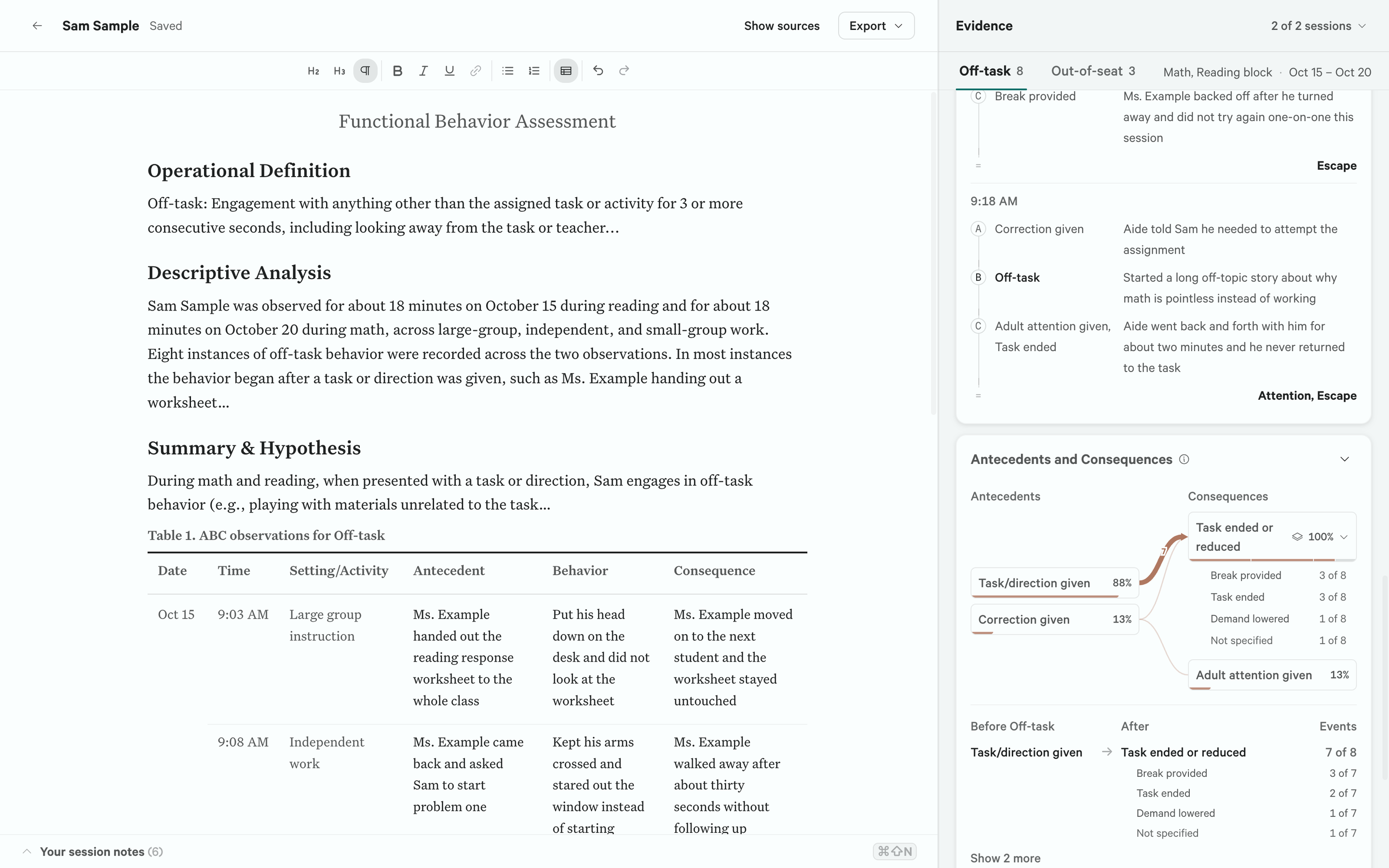
    Sightline keeps your coded record and analysis open beside the draft, so you assemble the write-up from the evidence in front of you.

    The Sightline write-up workspace: an editable FBA draft on the left with a contingency table of ABC instances inserted below the narrative, and its evidence on the right, showing the antecedent-behavior-consequence contingency and the ABC entries the draft draws from.
  2. It’s all there when you need it.

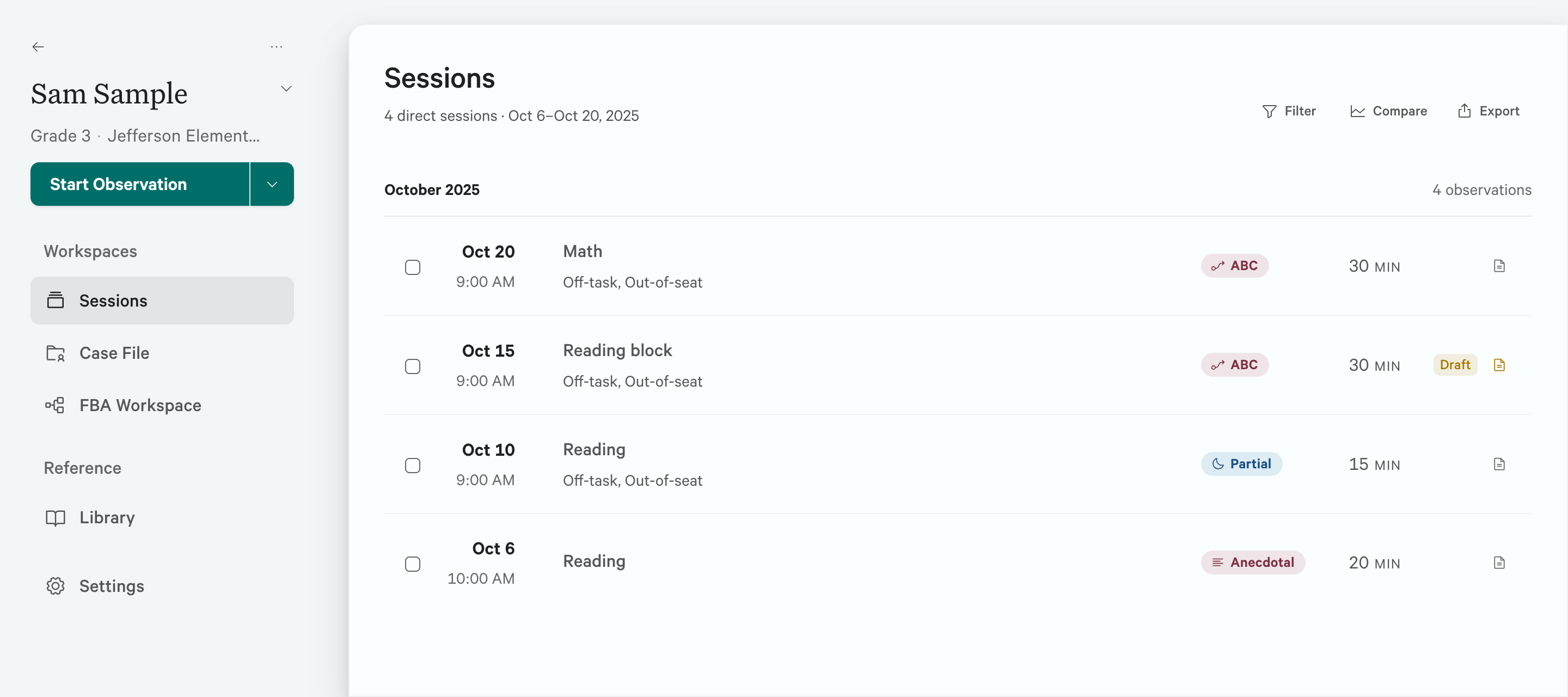
    An evaluation is rarely one observation. Every session, result, comparison, and draft for a student stays in one workspace.

    Sam Sample’s workspace lists four October 2025 sessions with dates, contexts, recording methods, and durations, alongside navigation to the Case File and FBA Workspace.
Observation methods

One workflow, eight methods.

Choose one and Sightline reshapes the clock, scoring, and results to match. The workflow around them stays the same.

Interval

  • Partial interval
  • Whole interval
  • Momentary time sampling

Event

  • Frequency
  • Duration
  • Latency

Descriptive

  • ABC
  • Anecdotal
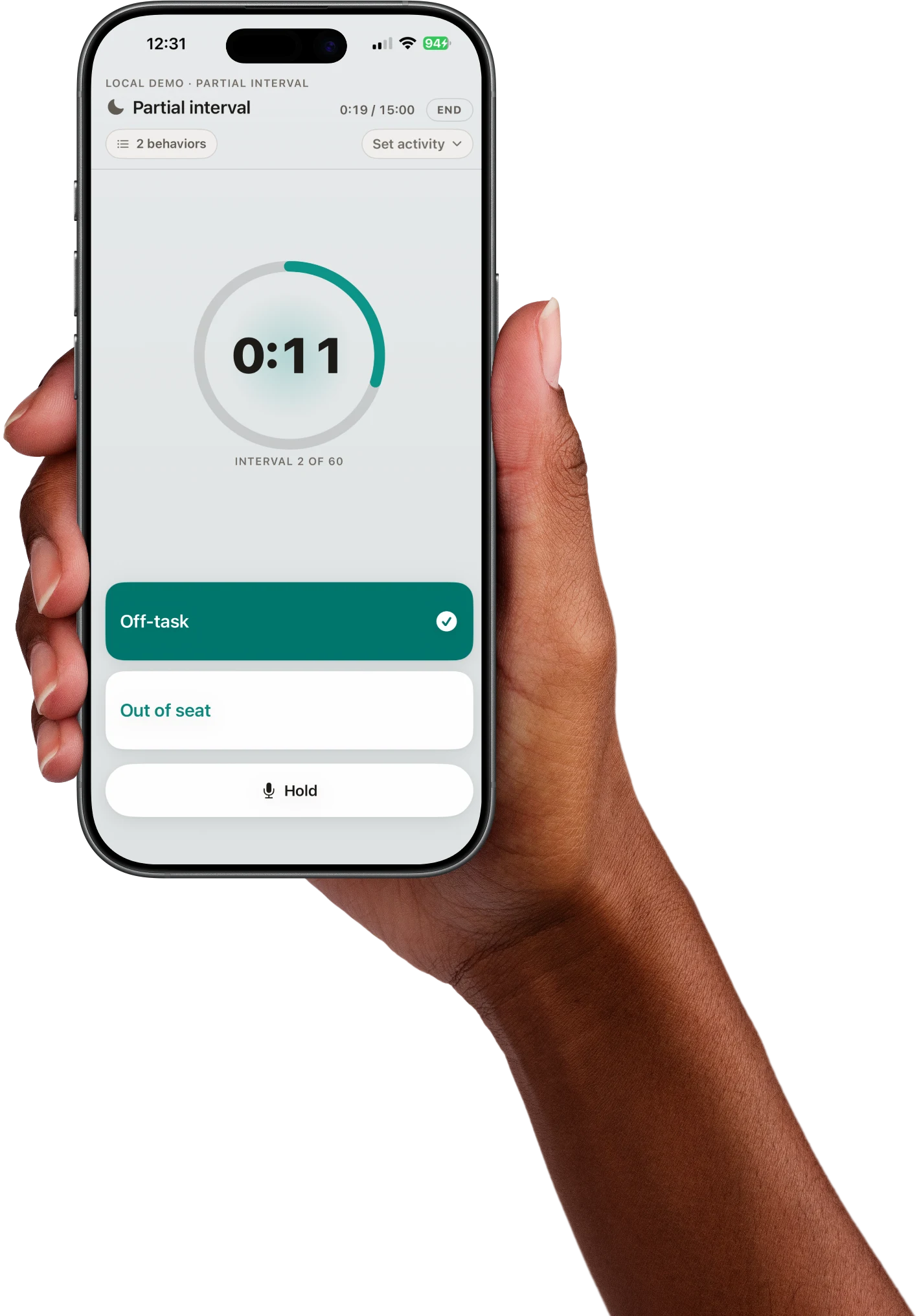
iPhone companion

Record from your phone.

Need to move around the room, record outside, or step away from the computer? Your phone picks up the session.

On-device AI

Less to draft. More time for students.

Most AI tools for this work send the student’s record to a company, and a draft comes back. Sightline’s model is built into the app, working only from the record you coded.

  • Observation summaries

    A professional, report-style summary of one session that leaves interpretations and implications to you.

  • FBA write-up support

    Get draft hypothesis statements and session narratives based on Sightline’s analysis of your coded ABC entries, ready to review and edit.

  • Dictation and voice notes

    Dictate into any Sightline text field, with optional AI cleanup to remove filler words and false starts and fix punctuation. Your computer also transcribes Companion voice notes into the session log.

Student privacy

What you don’t share, you don’t risk.

Privacy isn’t a promise. It’s our design.

A psychologist’s file is one of the most sensitive educational records belonging to a student. Sightline is built on one privacy rule: we never ask for a copy.

Student records stay encrypted on your computer. The AI runs there too. We hold no copy.

Is Sightline FERPA-compliant? Read the complete privacy details →

Student record
Cloud AI:Uploaded for processing
Sightline:Stays on your computer
AI processing
Cloud AI:Runs on provider servers
Sightline:Runs on your computer
Vendor-held copy
Cloud AI:The vendor receives the record
Sightline:We never receive a copy

Record for free. No strings attached.

Every observation method and unlimited sessions, on your machine.

Every plan starts with a free 21-day Pro trial.No account, no credit card.
Compare plans

See what Sightline adds to your next observation.

Download for free. Your first 21 days run on Pro, with no account and no card.

Download Sightline
Read the tour
  1. A desk with Sightline open on a laptop and Companion on an iPhone. "The complete system for behavioral observation."
  2. Scoring a partial interval observation from the keyboard. "Recording and CSV export are free. Score with the keyboard. Keep watching."
  3. A note is typed mid-observation. "Type your note. Sightline stamps the time and interval."
  4. The same observation scored on the iPhone. "Score on your phone with Companion."
  5. The results chart switches to behavior by activity. "After a 20-minute observation: off-task 15% in whole group, 50% in independent work."
  6. The write-up drafted from the results. "Build your write-up from your results. Local AI can help with the first draft."
  7. A chart and a table are added to the report. "Add charts and tables to your report."
  8. The export menu. "Export to Word or PDF."
  9. "No account. No cloud. Student data stays with you. Download for free, Mac and Windows."